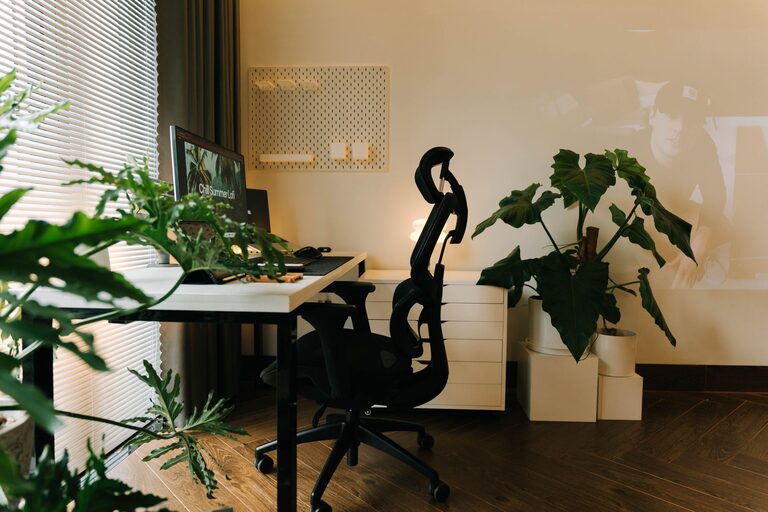

Creating a productive home workspace is essential for anyone working remotely or spending significant time at home completing tasks. A well-organized area not only improves focus but also helps maintain a positive mindset and reduces daily stress. In this post, we’ll explore practical tips and strategies for organizing your home workspace to maximize comfort and efficiency.
Why Having an Organized Workspace Matters
Before diving into the tips, it’s worth understanding why an organized workspace can make such a difference:
– Enhances Focus: Clutter can be distracting. A tidy workspace helps you stay focused on your work.
– Saves Time: When everything has its place, you spend less time searching for tools or documents.
– Boosts Creativity and Efficiency: Clear spaces support clear thinking and faster task completion.
– Improves Well-being: An organized, comfortable workspace reduces stress and helps maintain work-life balance.
Step 1: Choose the Right Location
Selecting the best spot for your home workspace sets the foundation for productivity.
– Find a Quiet Area: Ideally, choose a room or a corner with minimal noise and foot traffic.
– Natural Light: Position your desk near a window for natural light, which can elevate mood and reduce eye strain.
– Limit Distractions: Avoid areas with frequent distractions like the TV or busy household hubs.
Step 2: Invest in Essential Furniture and Accessories
Comfort and functionality are key factors in workspace design.
– Ergonomic Chair and Desk: A chair with proper back support and a desk at the right height prevent discomfort and promote good posture.
– Monitor Stand or Adjustable Desk: These help reduce neck and eye strain.
– Good Lighting: In addition to natural light, use adjustable desk lamps for consistent brightness during late hours.
Step 3: Declutter and Organize Supplies
A clean and organized space makes work smoother.
Sort and Simplify
– Go through your workspace and remove unnecessary items.
– Keep only what you regularly use within arm’s reach.
Use Organizational Tools
– Desk Organizers: Trays, pen holders, and drawers keep supplies neat.
– Cable Management: Clips or sleeves reduce tangled cords that can look messy.
– Storage Bins or Shelves: Store documents and extra supplies neatly to free up workspace.
Step 4: Create a Filing System
Managing paperwork is easier with an effective system.
– Label Folders: Use clear, descriptive labels for different categories.
– Use Digital Alternatives: Scan documents to reduce physical clutter.
– Regularly Review Files: Set monthly reminders to clean out unnecessary papers.
Step 5: Personalize Without Overdoing It
Adding personal touches can make your workspace inviting but keep it balanced.
– Add Plants: Small desk plants can improve air quality and mood.
– Decorate with Purpose: Use art or photos that inspire but don’t distract.
– Keep It Minimal: Too many personal items can create clutter and reduce focus.
Step 6: Set Boundaries and Establish Routine
Your workspace’s organization also depends on habits.
– Keep Work and Leisure Separate: Designate the space strictly for work to avoid distractions.
– End-of-Day Cleanup: Spend a few minutes tidying your desk at the end of each day.
– Use a Planner or Calendar: Keep track of tasks and deadlines to stay organized mentally and physically.
Bonus Tips for Digital Organization
Physical space is important, but digital clutter can also impact productivity.
– Organize your computer desktop and files into folders.
– Use productivity apps and tools to manage tasks.
– Backup important files regularly to prevent data loss.
Conclusion
Organizing your home workspace doesn’t have to be complicated. With a clear location, the right furniture, clutter control, and a little personalization, you can create a productive environment that supports your work goals. Remember that maintaining your organization is an ongoing process—small habits make a big difference over time. Start with these tips, and you’ll be on your way to a more productive and enjoyable home work experience.